
QIDA
Short guides to get started with Qida.
From prescription to reminders, step by step, with your instructions at hand.
01
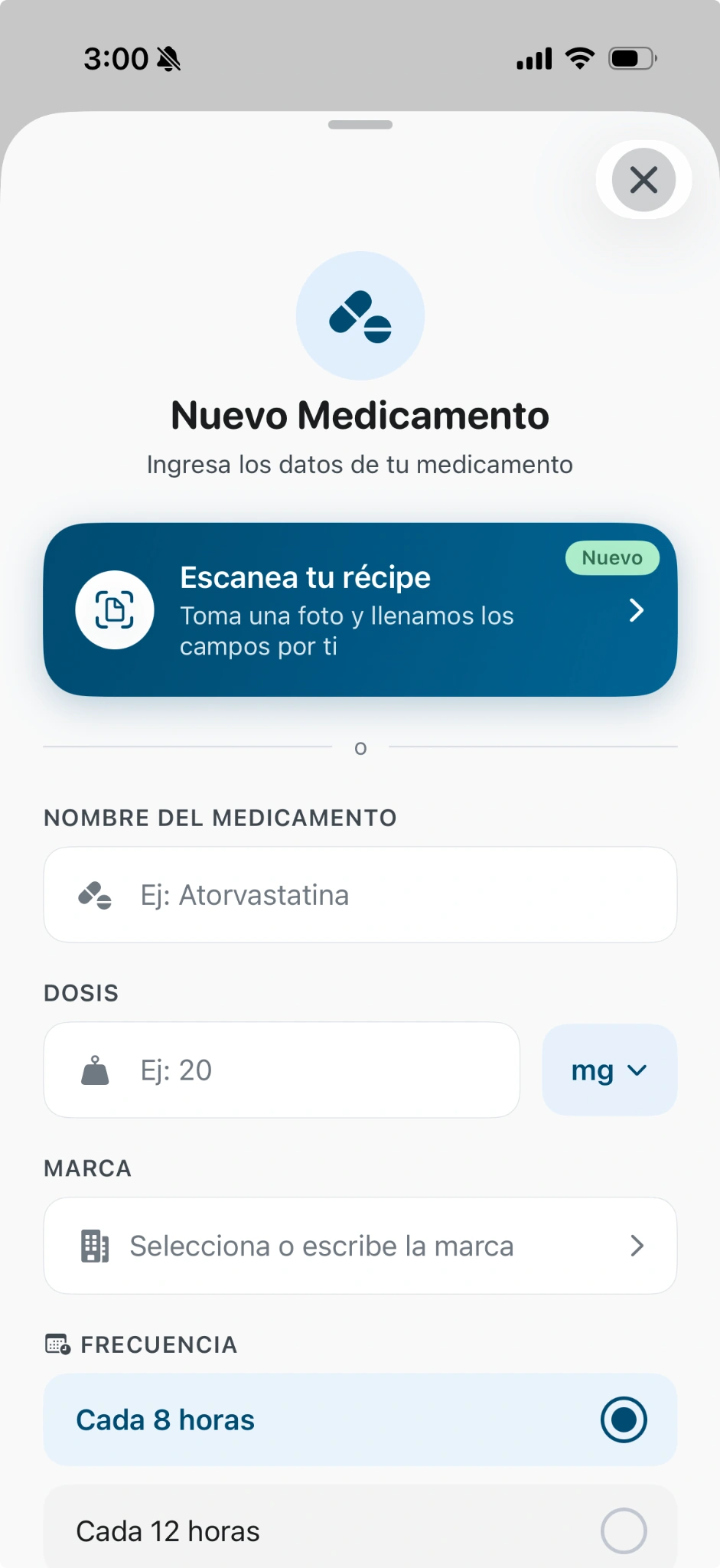
Add your first medicine
- Open New Medication (Nuevo Medicamento) in Qida.
- Choose Scan your prescription (Escanea tu récipe) or enter the details manually.
- Check the reading, name, dose, unit and brand against your prescription.
- Complete and confirm the details before saving.
02
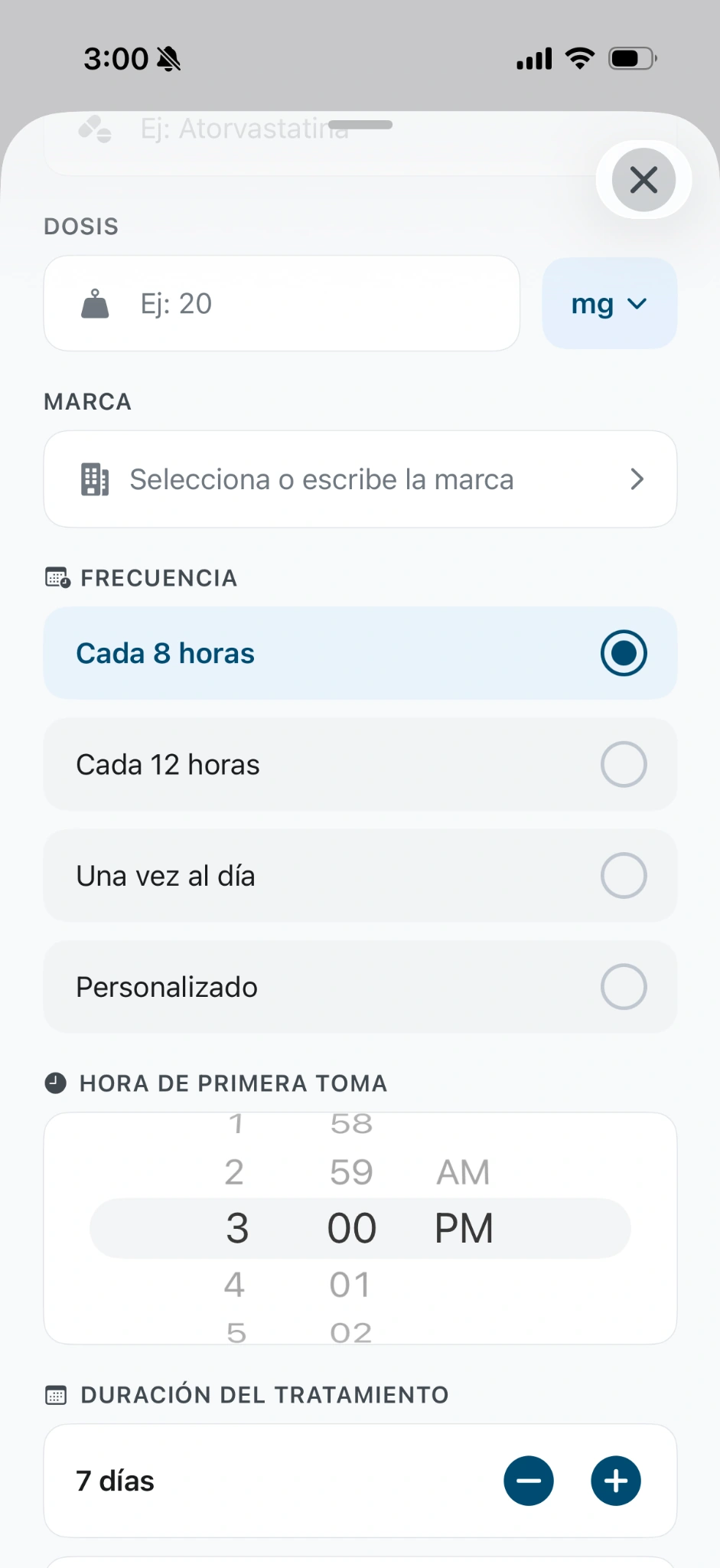
Organize your schedule
- Choose the frequency according to the instructions you received.
- Set the time of the first dose.
- Enter the prescribed duration. Use Lifelong (De por vida) only when it matches your instructions.
- Review the calculated schedule before confirming.
The 8-hour, 7-day and 3 p.m. values in the screenshots are interface examples, not recommended dosing.
03
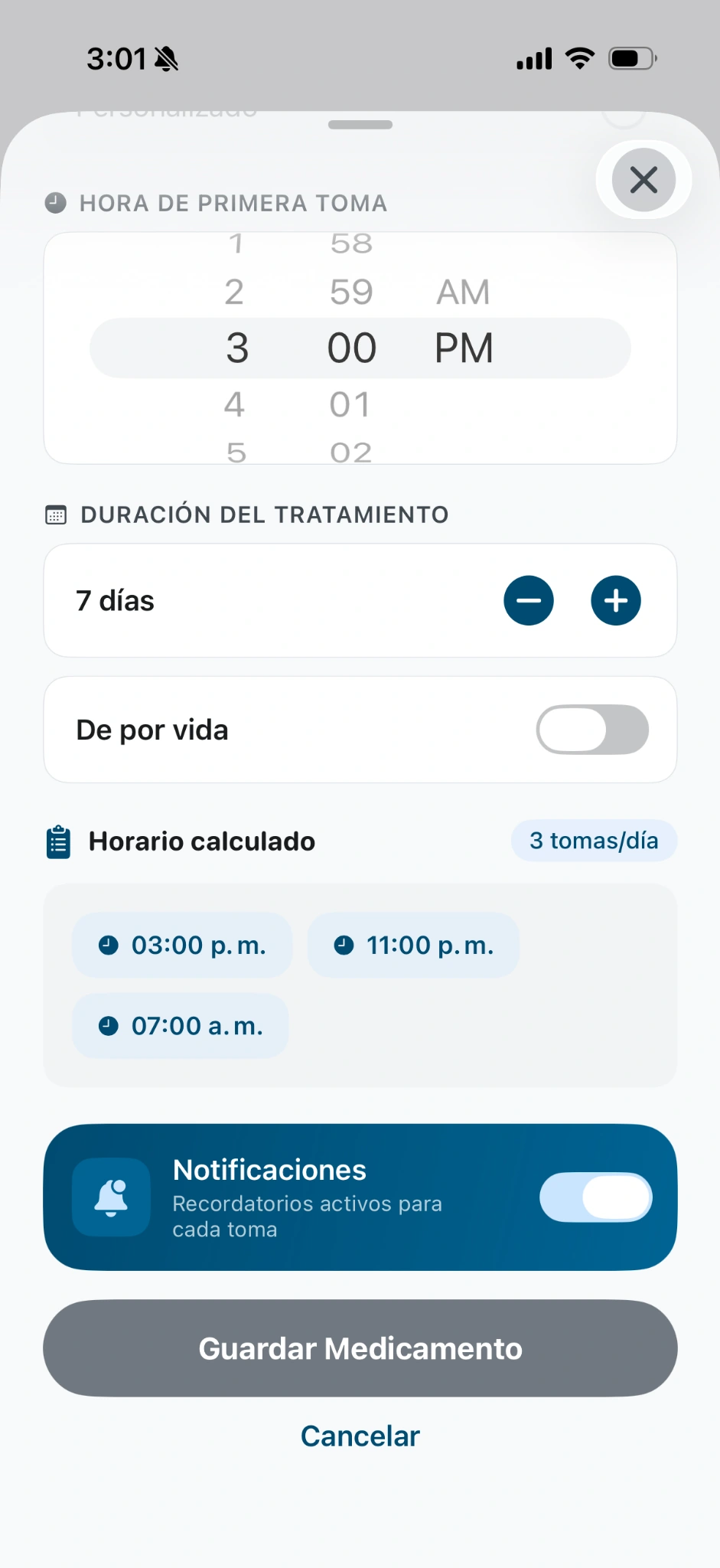
Turn on reminders
- Complete the medicine details and schedule.
- Enable Notifications (Notificaciones) and tap Save Medication (Guardar Medicamento) once the details are confirmed.
- Allow Qida notifications in your phone settings when the system prompts you.
The 8-hour, 7-day and 3 p.m. values in the screenshots are interface examples, not recommended dosing.
A moment to organize the week.
- Check that your records match your current instructions.
- Check your reminders.
- Look at the packs you have available and prepare what you need for the coming days.
- Talk with your family member if appropriate.
Review the details. If any instruction is unclear, ask your health professional.
Support as a familyReminders and notificationsQIDA
One day at a time. With Qida.
Start with your treatment and support the people you love.
Download QidaFree app · iPhone & Android
 qida.io/en/app