
Medicine reminders based on your prescription
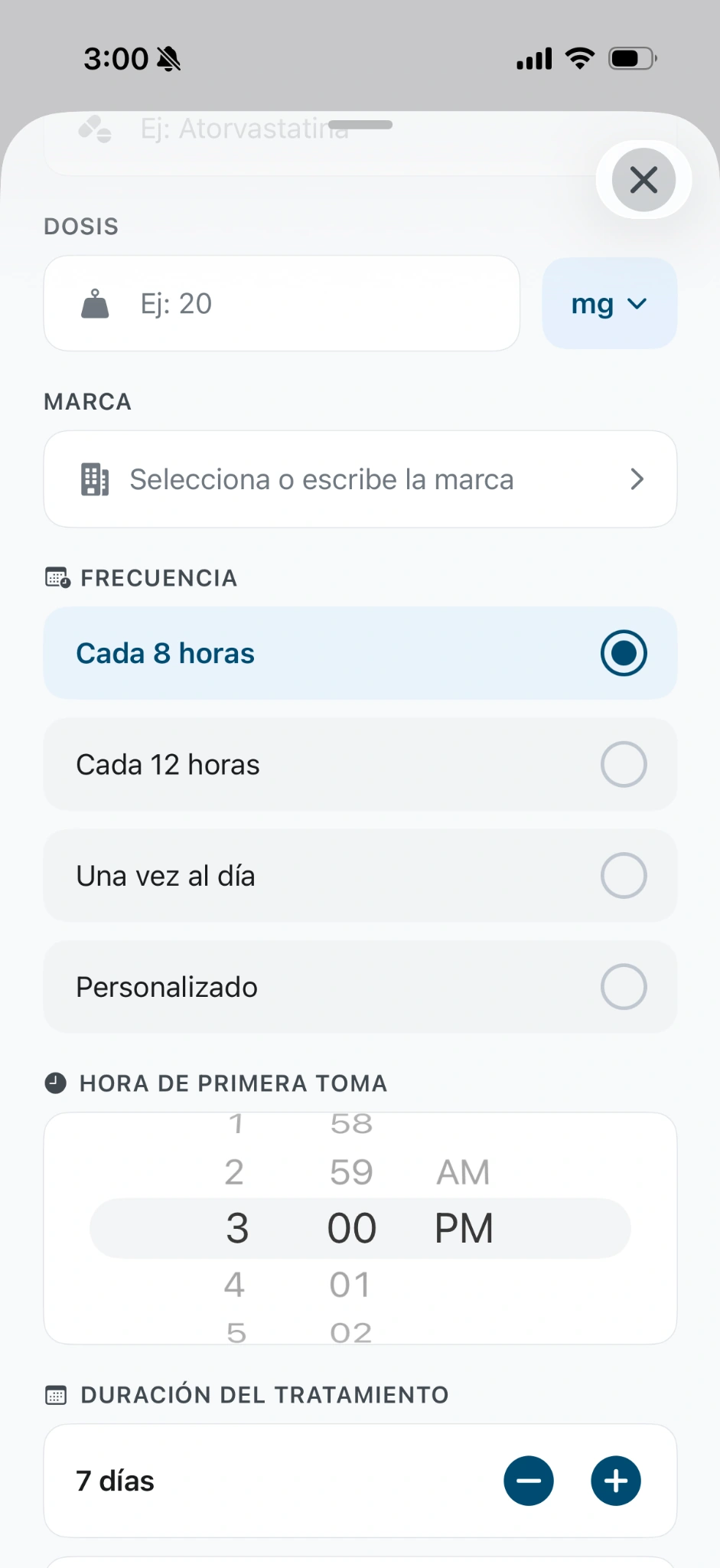
To set up medicine reminders in Qida, copy the frequency, first-dose time and treatment duration from your prescription; review the schedule Qida calculates, turn on notifications and save. Qida reminds you of the doses you were already prescribed: it does not decide the dose or schedule for you.
From prescription to schedule
- Frequency: choose the one on your prescription.
- First-dose time: the one agreed with your doctor, or one you can keep within the prescribed instructions.
- Duration: the prescribed days, or Lifelong only if it applies.
- Review the calculated schedule before confirming.
Phone notifications
In Qida, keep the medicine’s Notifications turned on and tap Save Medication (Guardar Medicamento) once the details are confirmed. If your phone asks permission to show Qida alerts, enable it. If you stop receiving them, check permissions and focus modes with your phone’s official help:
Guide: enable your reminders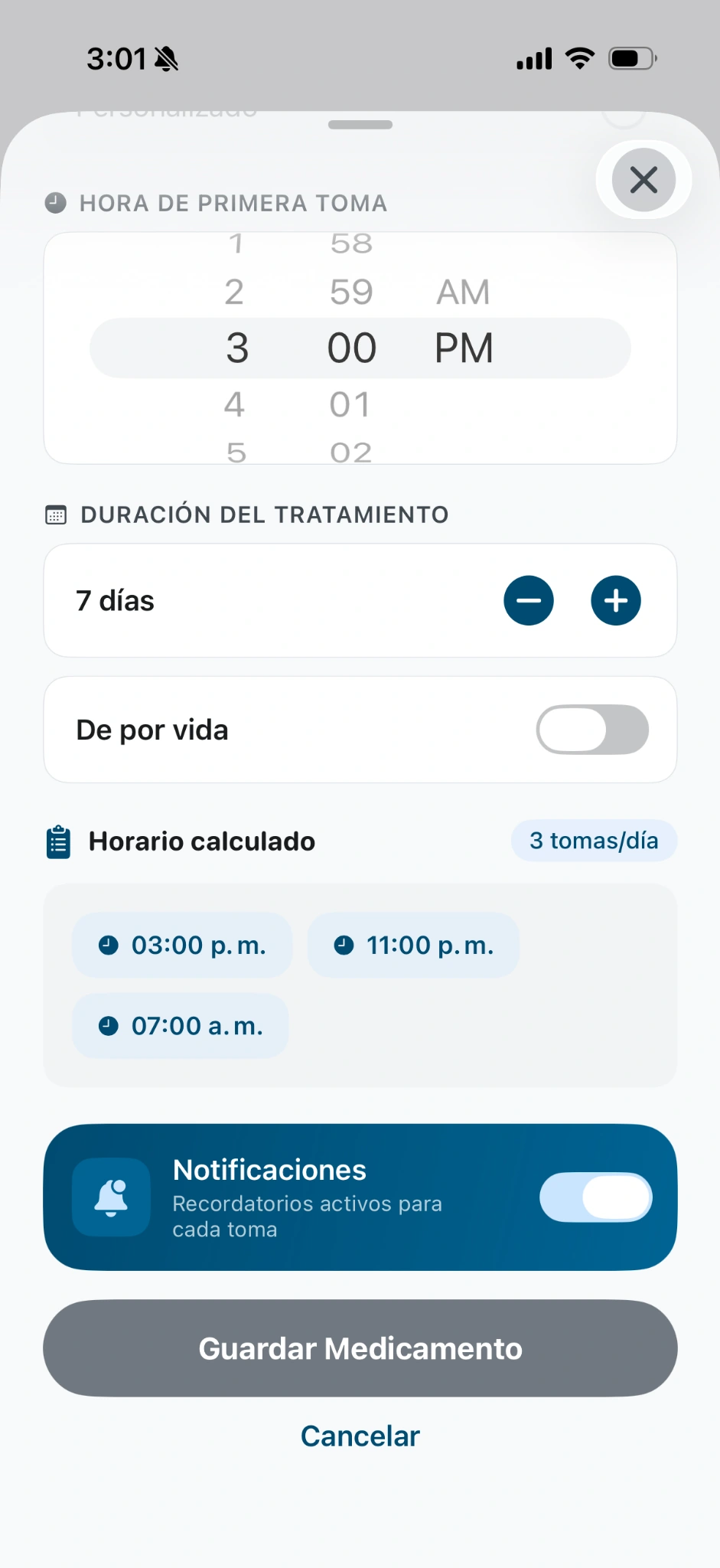
What a dose record means
Recording your doses helps you see your history. A missing record does not prove a dose was skipped: it may have been taken without being recorded. Qida does not give instructions after a missed dose or change doses; if in doubt, ask your doctor or pharmacist.
A moment each week
A short manual review helps keep everything up to date: that your record matches your current instructions, that reminders are still on and which packs you have left. If a family member supports you, you can talk it over together.
See the weekly checklistFrequently asked questions
Does Qida change my schedule or dose?
No. Qida calculates times from the details you enter and lets you review them. Any change of dose or schedule is for your doctor to decide.
What should I do if I forgot a dose?
Qida does not give instructions for missed doses. Ask your doctor or pharmacist what to do in your case.
When should I use the Lifelong (De por vida) option?
Only if your treatment says so. If it has a defined duration, enter it.
Can a family member see my doses?
Yes, if you authorize it. Your family member uses their own account with read-only access, and you can revoke permission.
One day at a time. With Qida.
Start with your treatment and support the people you love.
Download QidaFree app · iPhone & Android
 qida.io/en/app